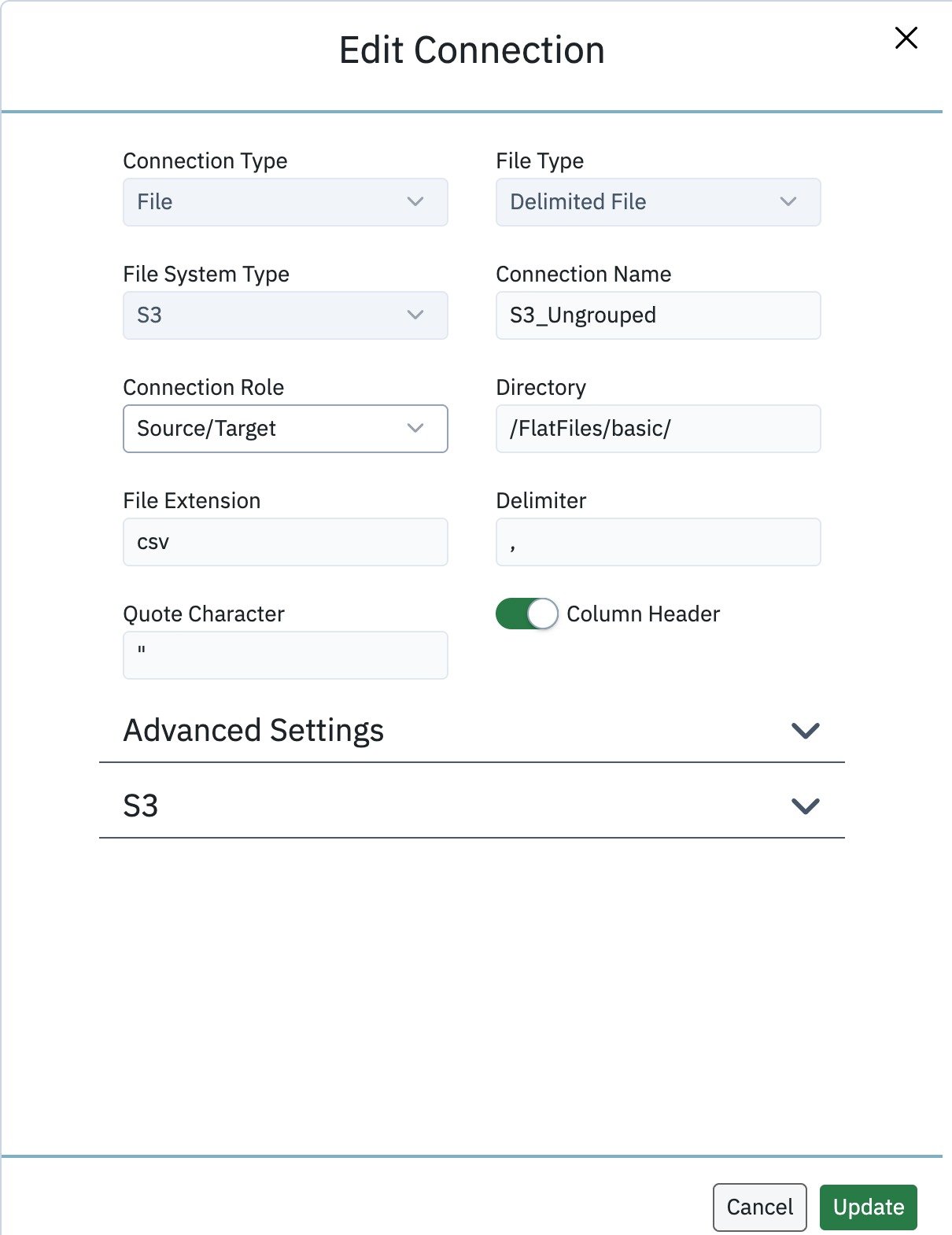
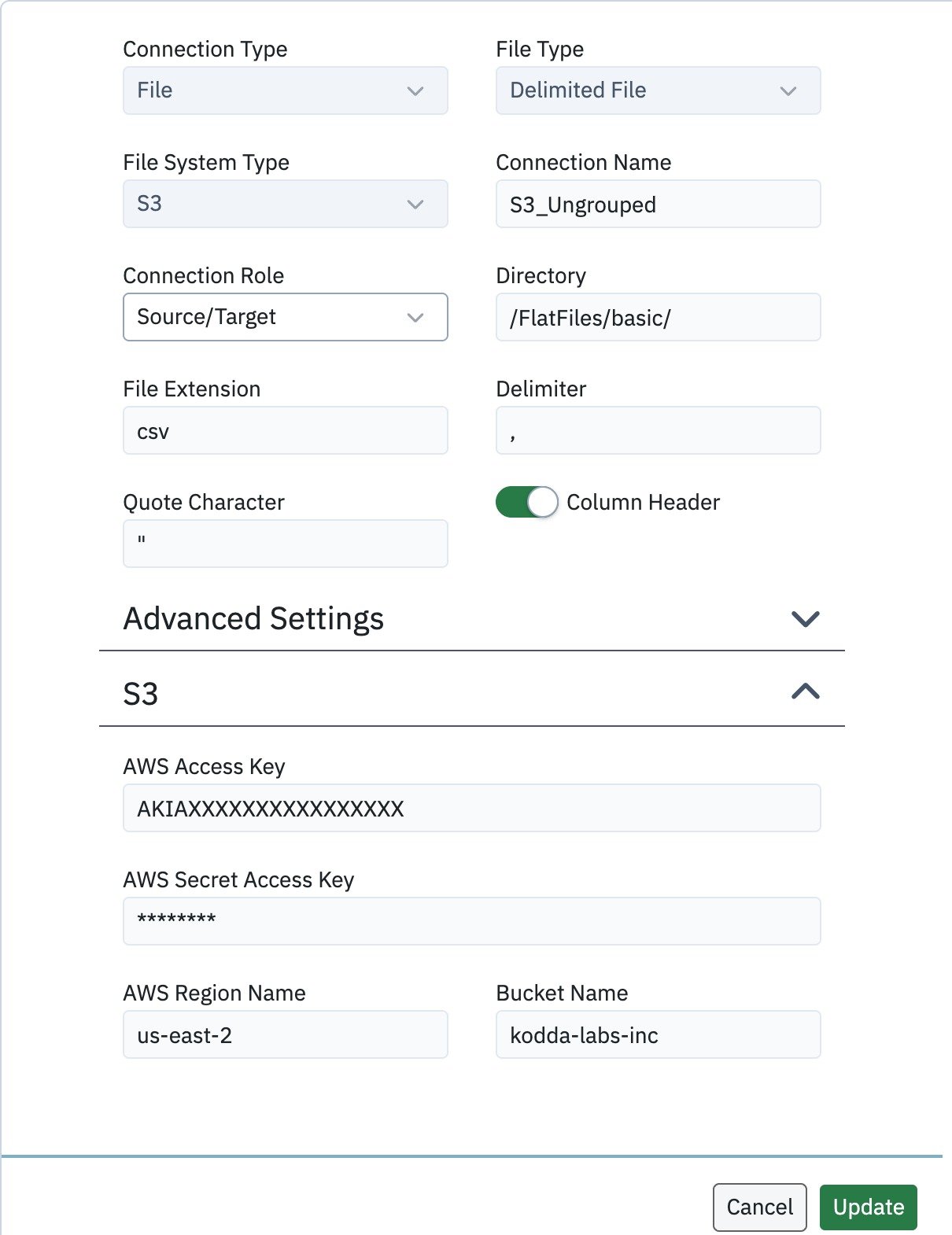
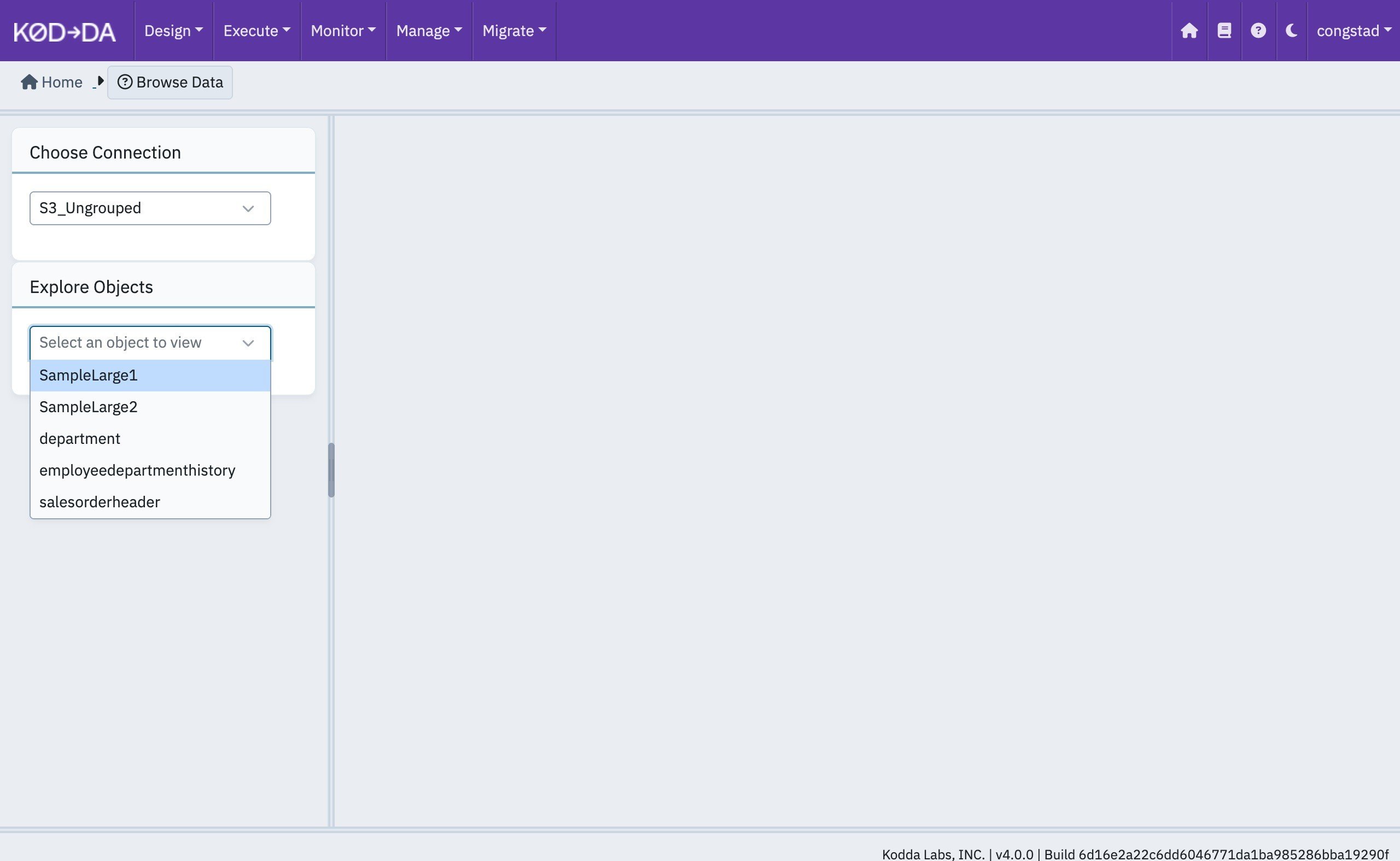
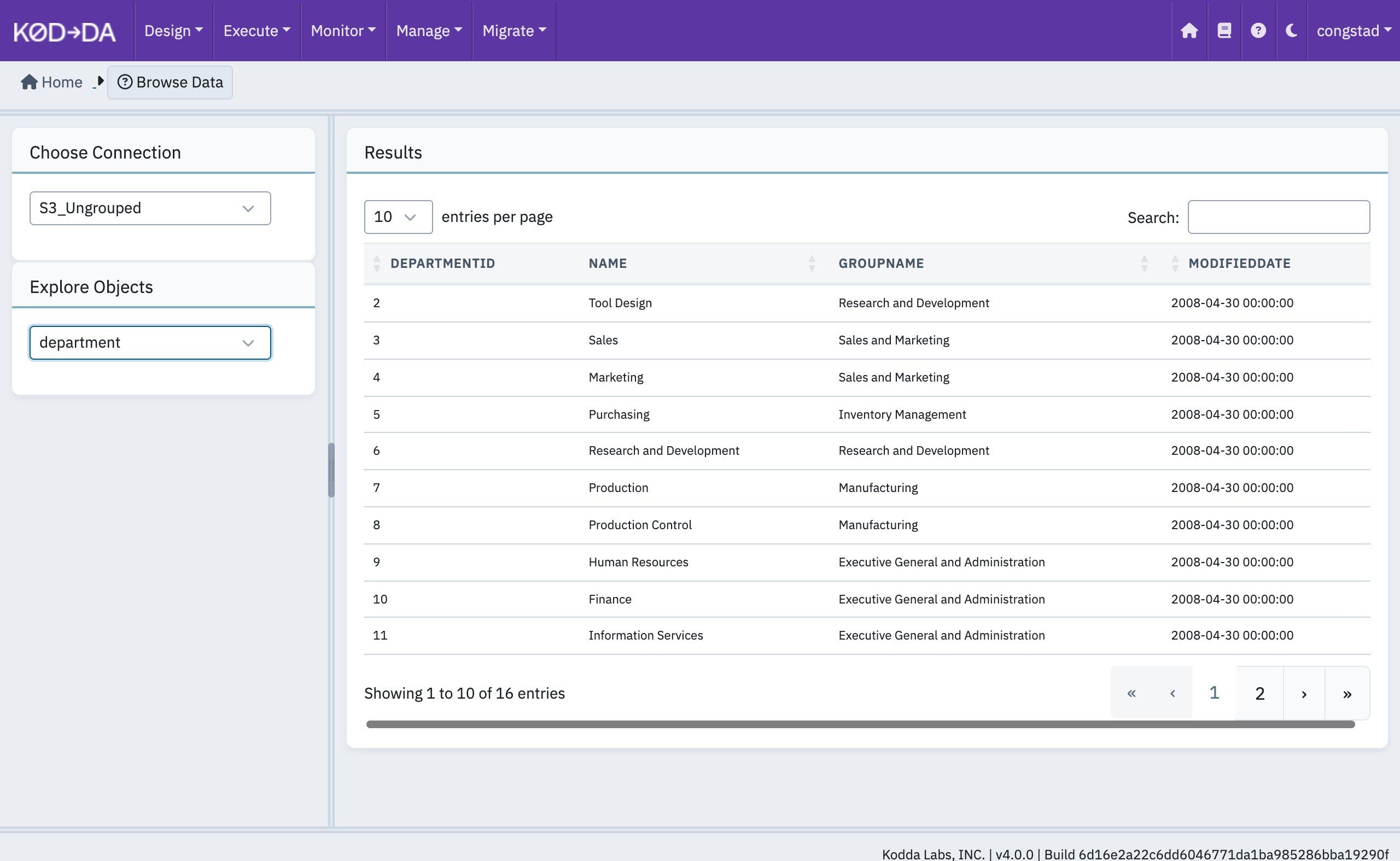
- Ungrouped files (basic) — files that are loaded as they are and do not need to be combined with any other files in the bucket. Each file becomes a table.
- Grouped files (advanced) — files that share a structure and a naming convention, so that many files are loaded into a single table. This tutorial shows how to group files by entity name and by key path.
kodda-labs-inc, under the key path /FlatFiles/.
Creating the S3 Connection (Ungrouped Files)
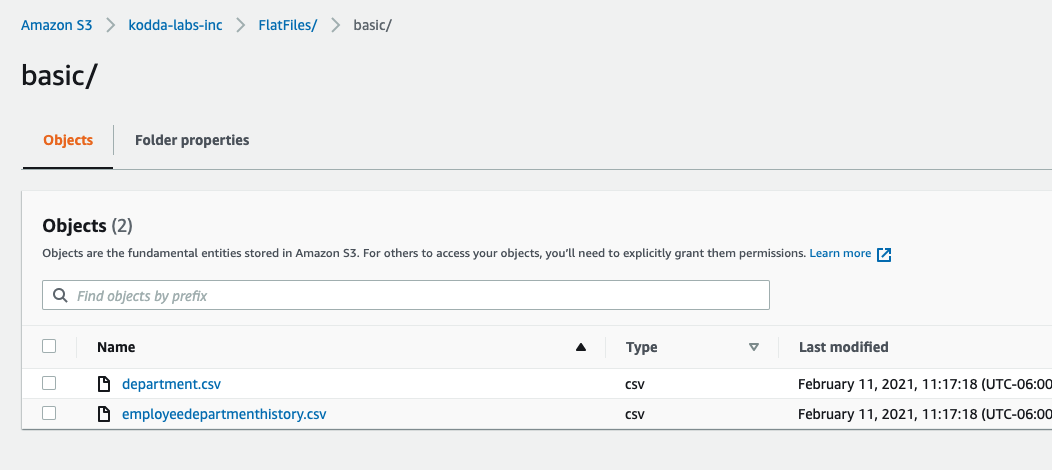
The simplest case is a key path that holds one file per table. In the bucket,/FlatFiles/basic/ contains plain CSV files:
Creating the S3 Connection (Grouping Files Based on Entity Name)
Often many files with the same structure need to be loaded into one table — for example a new extract every hour — and you want to read only the files that have not been loaded yet rather than scanning every file every time. In this example/FlatFiles/standard/ holds two kinds of file, named with the convention:
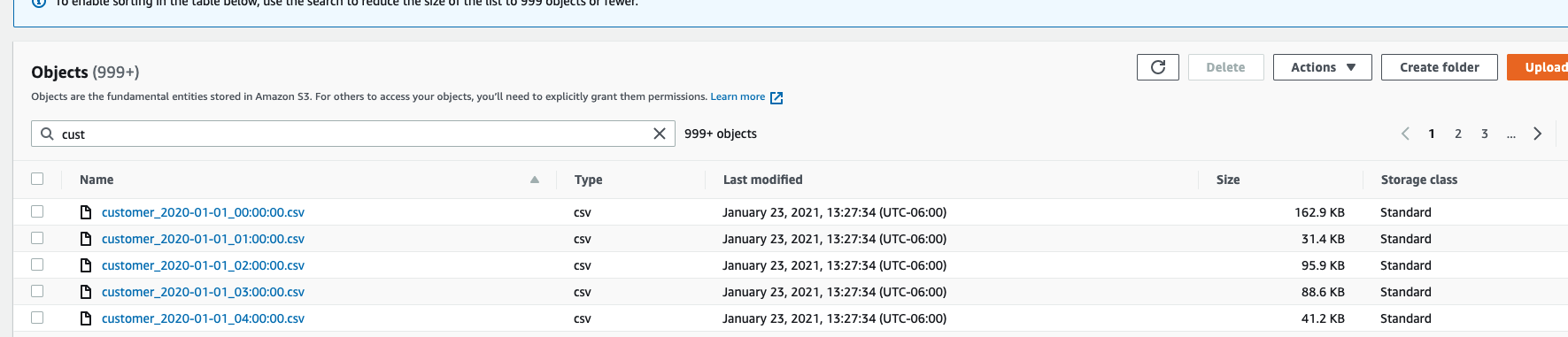
/FlatFiles/standard/:
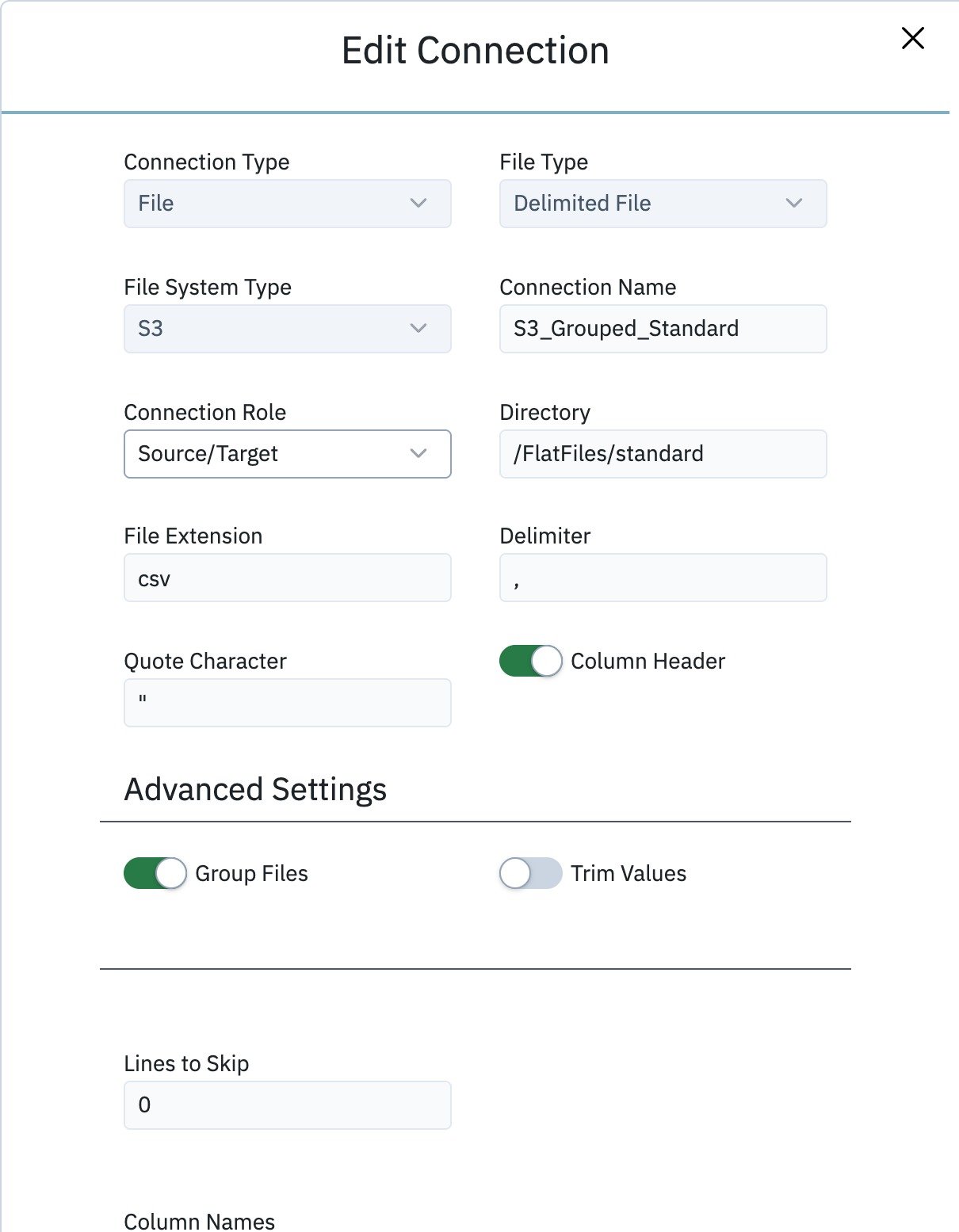
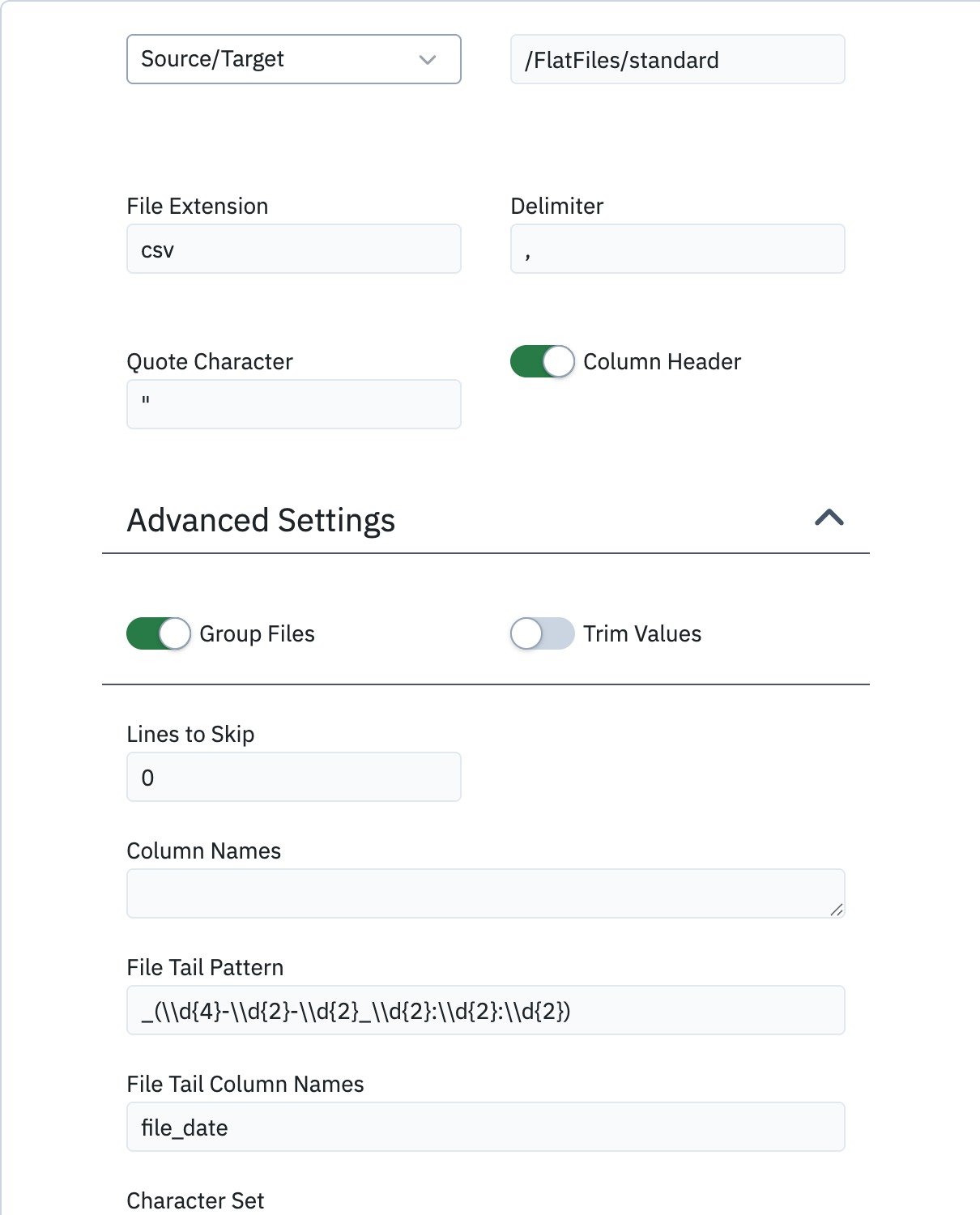
- Turn on Group Files.
-
Set the File Tail Pattern. This is a regular expression that matches the end of the file name. All files whose names are identical up to the match are treated as a single table, and every capture group in the expression becomes a column in that table. For this naming convention use:
The connection in the screenshot uses doubled backslashes; single backslashes (
_(\d{4}-\d{2}-\d{2}_\d{2}:\d{2}:\d{2})) work the same way. -
Set the File Tail Column Names — one name per capture group. Here the single group holds the file’s timestamp, so name it
file_date.
client and customer, each made up of every file that shares that prefix:
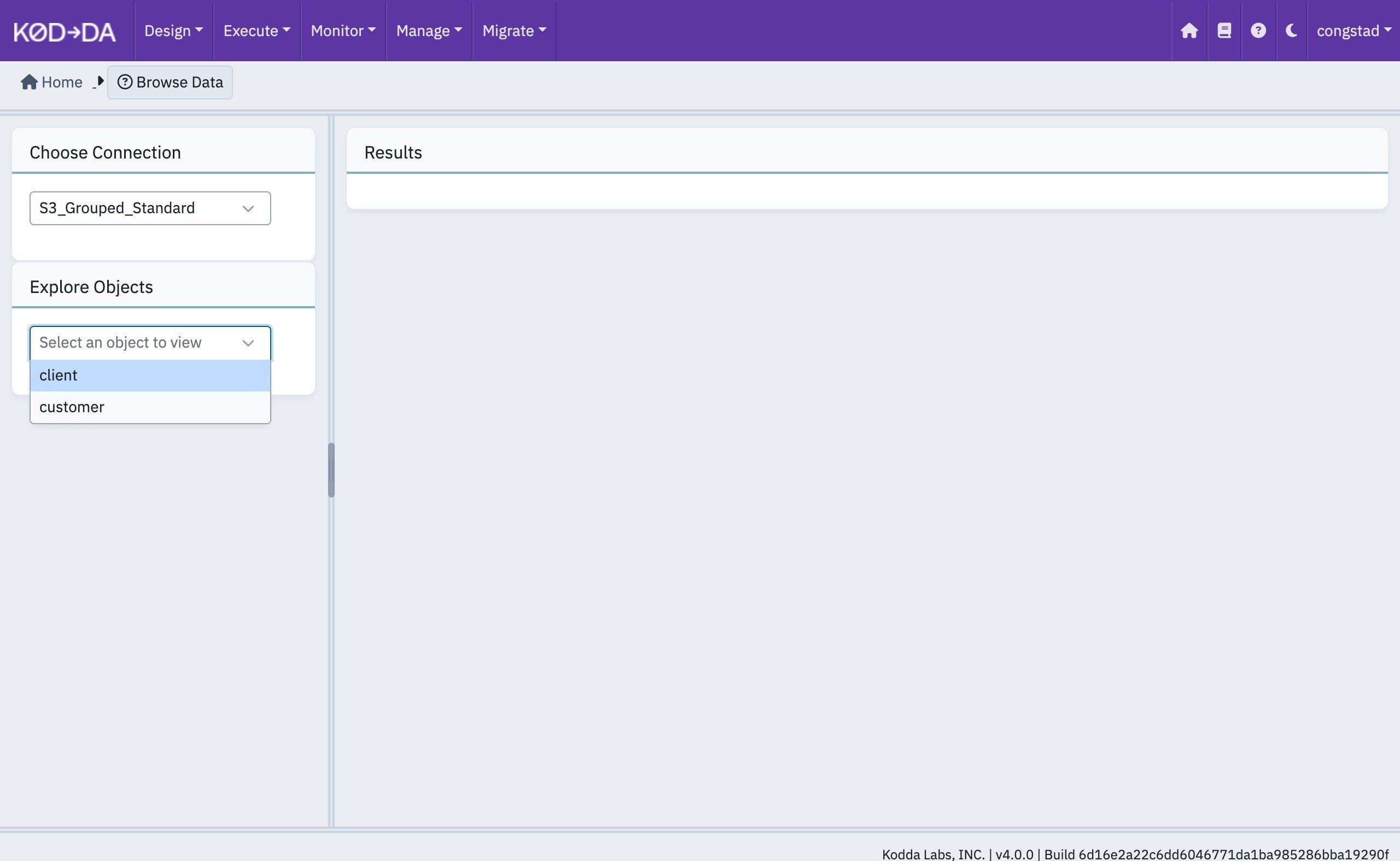
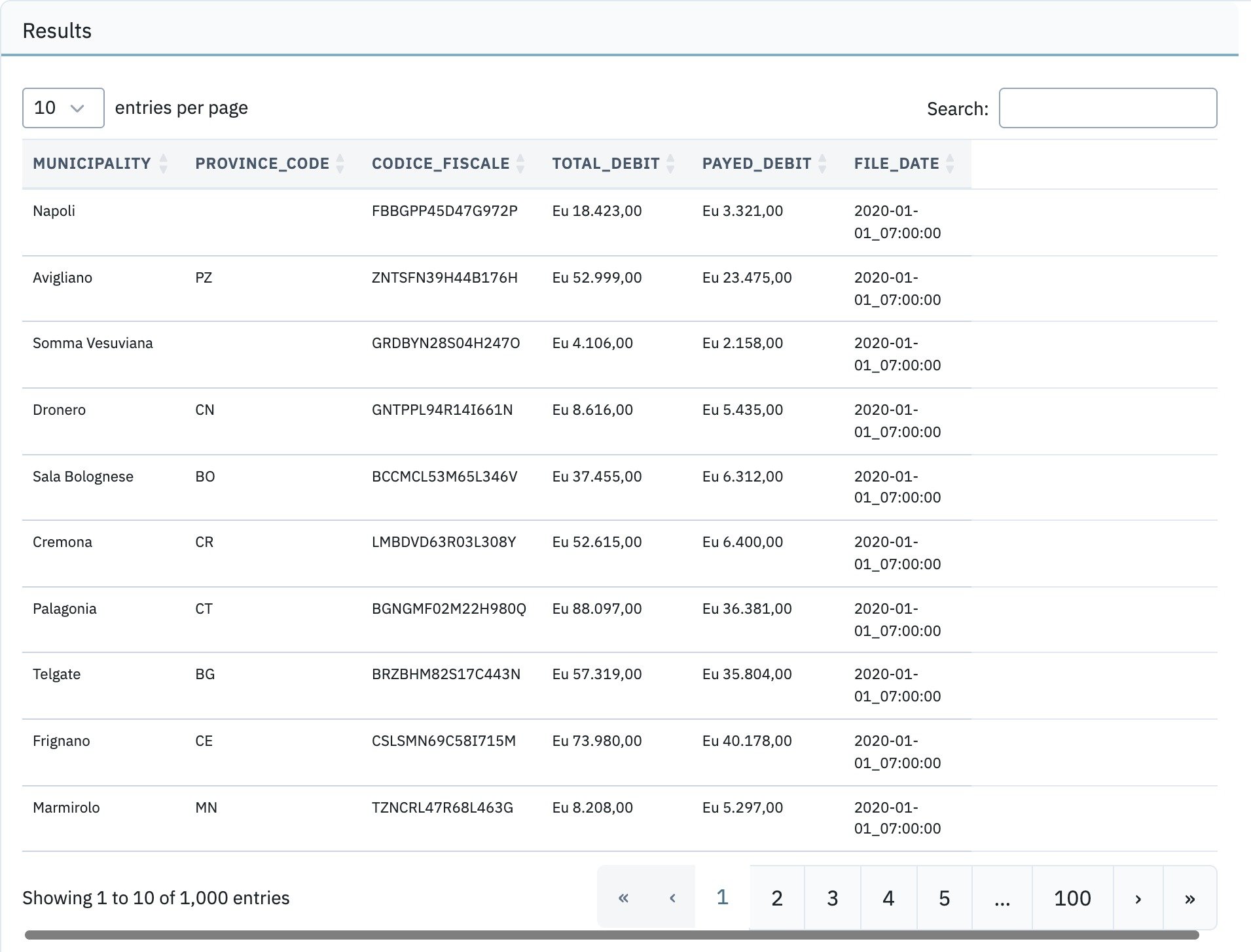
file_date column, parsed from the file names, has been added to the table.
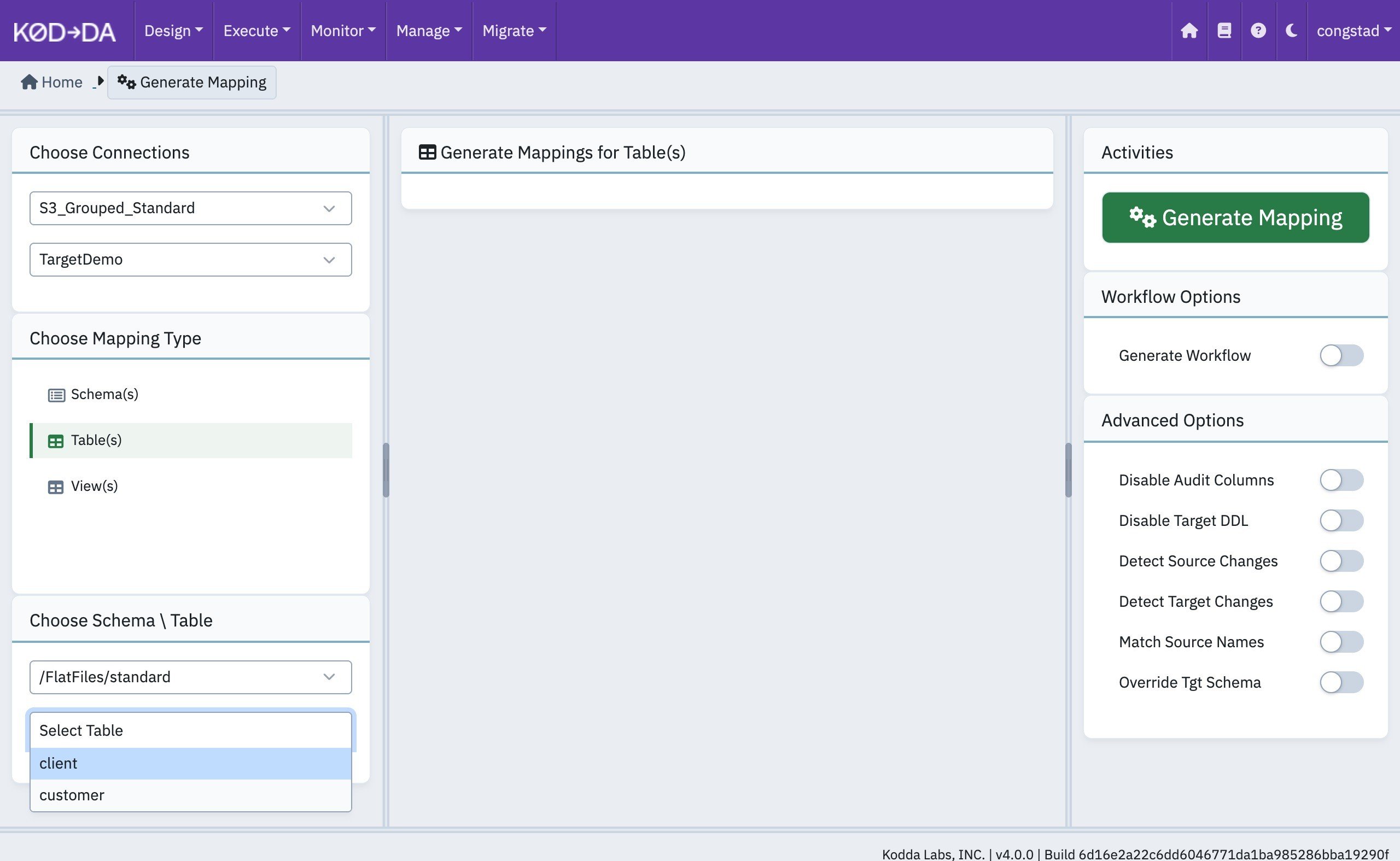
file_date is a column, it can be used as the Incremental Column of the mapping. Each run then reads only the files whose timestamp is later than the last one loaded.
Entity Name in Key Path (Grouping Files Based on Key Path)
Another common layout stores files under a key path that contains a date hierarchy, which makes it easy to find the files for a given day: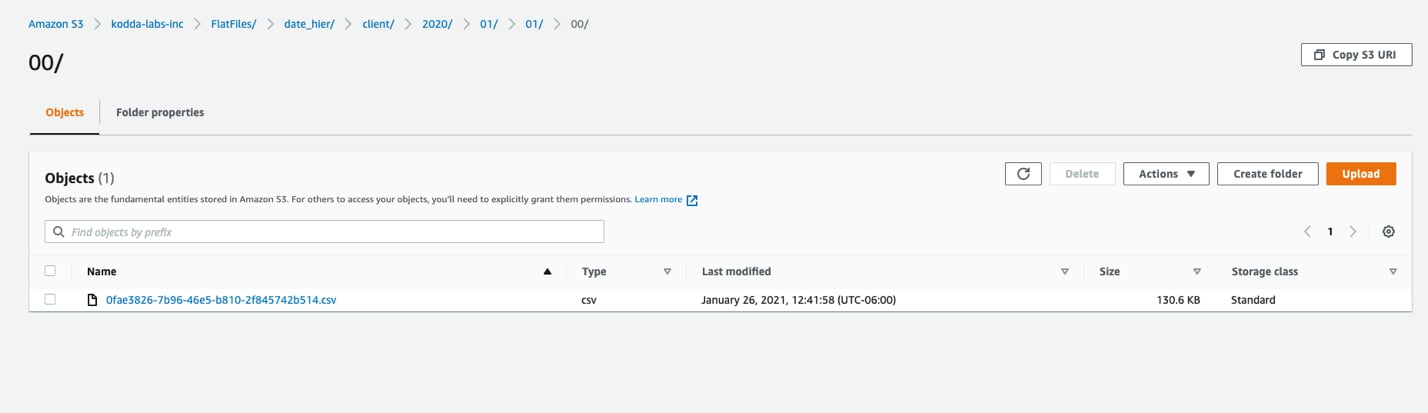
S3_Grouped_Hier with Directory set to /FlatFiles/date_hier/:
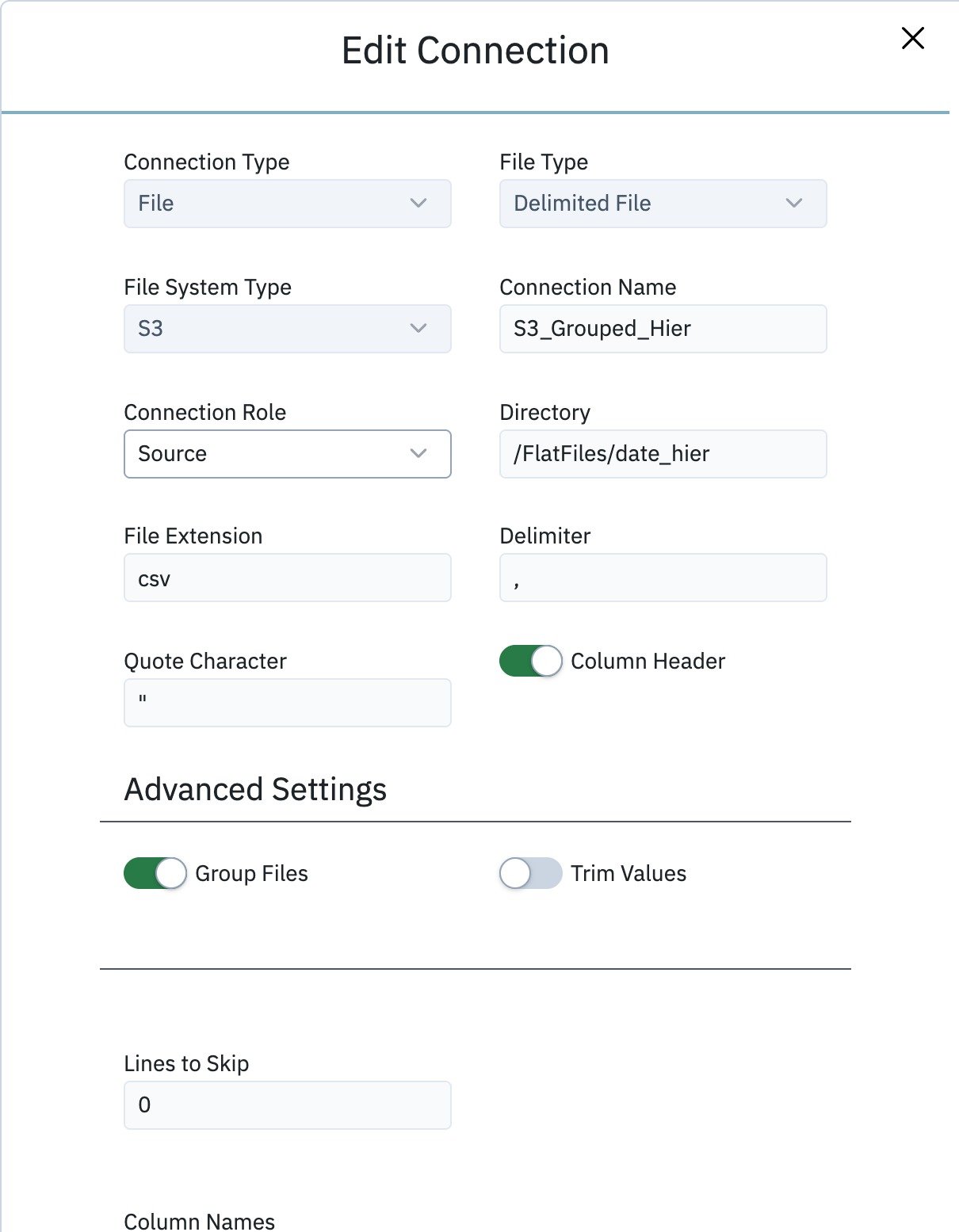
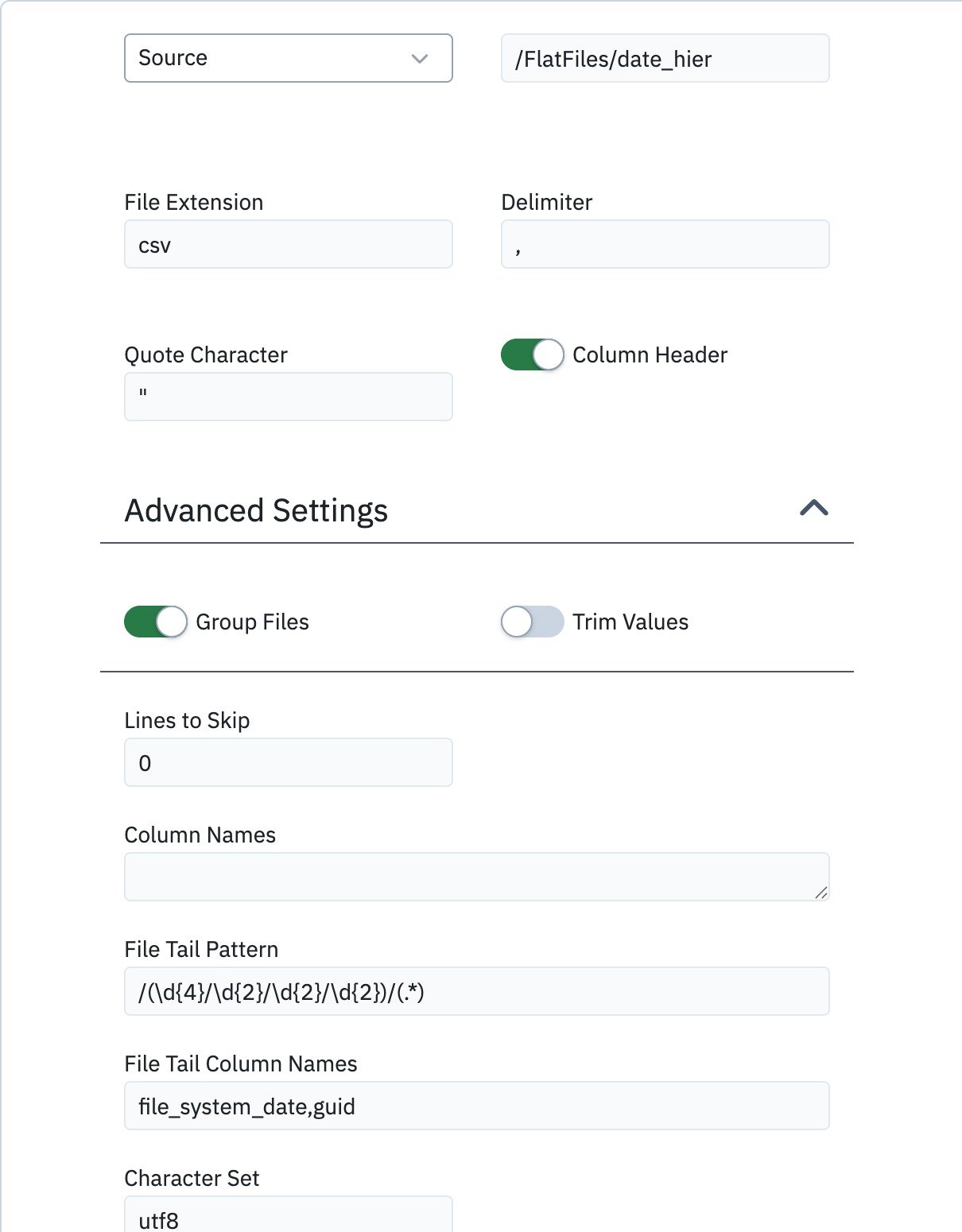
year/month/day/hour) and the second is the GUID file name. Two groups need two File Tail Column Names, entered separated by a comma: file_system_date,guid. Everything before the match — the entity name directory — identifies the table.
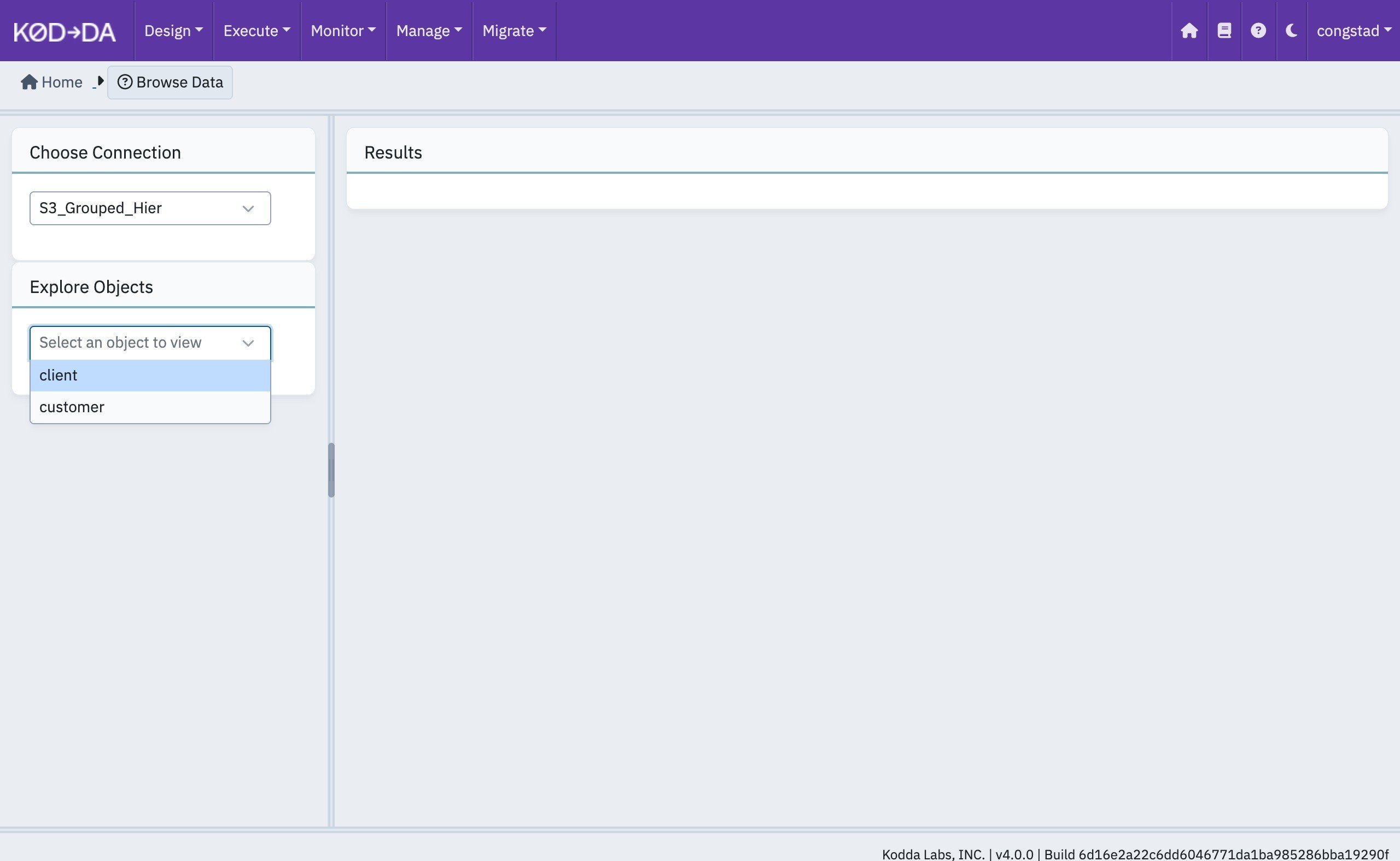
Click Create. Browse Data again lists two tables:
file_system_date and guid, have been added to the table.
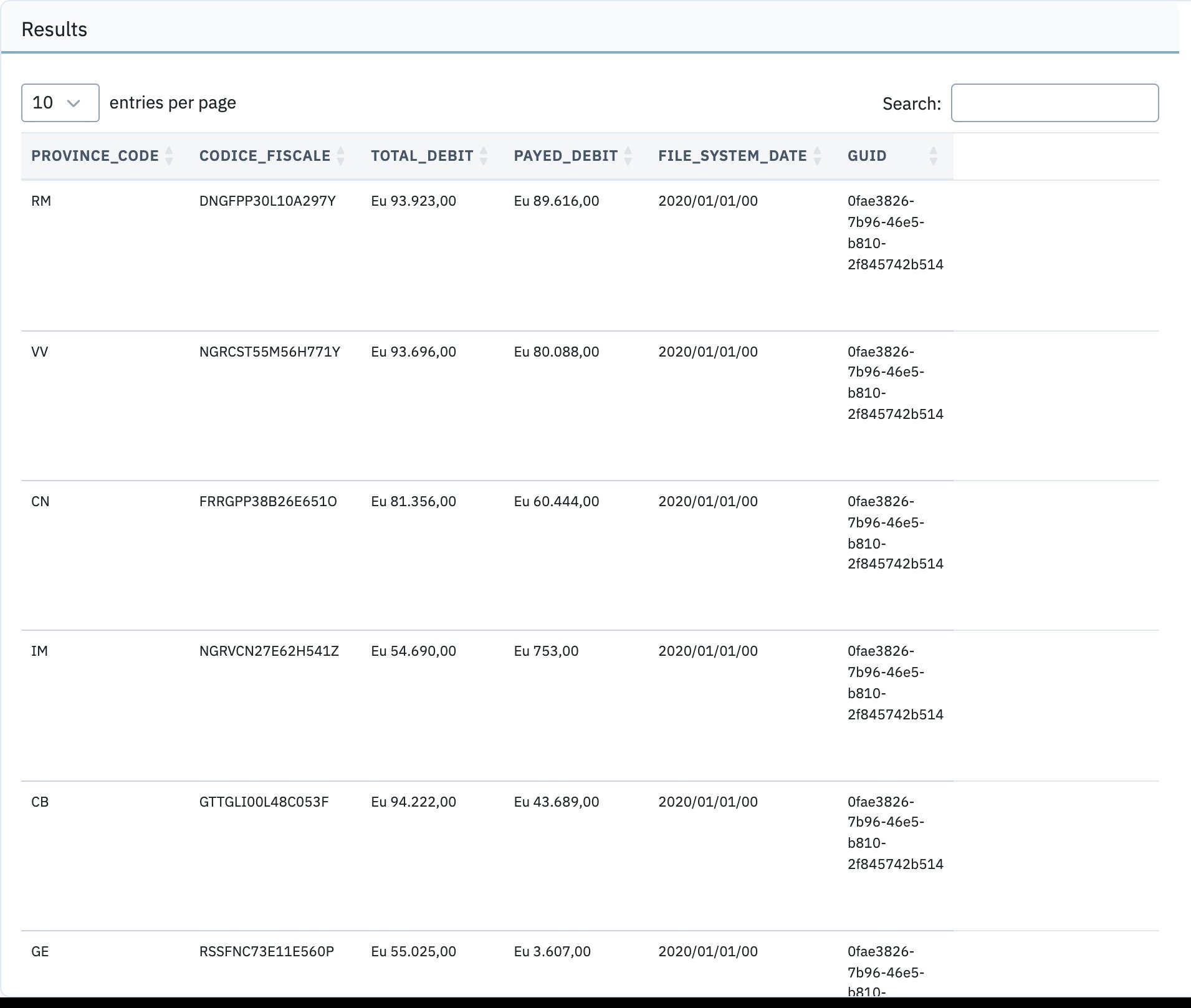
file_system_date can drive an incremental load.